

Hotels are expensive. Like, unnecessarily expensive sometimes.
If you’re searching for real Booking.com tips and tricks to save money in 2026, this guide breaks down exactly how the platform works and how to get the best possible deals.
But the thing is, Booking.com has all these features built into the platform that most people completely miss. And I’m not talking about some secret hack or loophole… It’s just stuff that’s already there.
You just need to know where to look.
The difference between paying full price and getting a legit discount can be hundreds of dollars on a single trip. Sometimes more.
And it’s not complicated, you just need to understand how the system actually works.
Let me walk you through what actually matters.
Quick Summary: How to Save on Booking.com

- Join the free Genius program for automatic discounts.
- Always search while logged in.
- Book early with free cancellation.
- Monitor prices 6–8 weeks out.
- Use rating and location filters.
- Read recent reviews before booking.
The Genius Program Explained
Booking.com has a program called Genius. It’s basically a loyalty system, but here’s the cool part… It’s completely free.
You don’t pay anything to join. No membership fee, no card required, nothing.
You get access the second you create an account.
Most people don’t even realize they already have discounts sitting there waiting to be used. That’s the weird part about it.
Here’s how it breaks down:
Level 1 unlocks after your first 2 stays (automatic signup gets you started). You get 10% off at participating properties.
Easy. The participating hotels show a blue “Genius” label when you’re searching (but only when you’re logged in, which I’ll get to later).
To move up to Level 2, you need five completed stays within a rolling two-year window. Not five nights… five separate bookings.
So if you book a four-night hotel stay, that counts as one stay toward your total.
At Level 2, your discount rises up to 15% depending on the property, plus you unlock extras such as free breakfast and room upgrades at certain hotels.
Level 3 needs 15 completed stays in that same two-year period. At that point, you’re looking at 20% discounts, plus priority customer support.
The two-year thing is important. Your clock starts from your first completed booking.
So let’s say you book something on April 10, 2026… You have until April 10, 2028, to rack up the required stays for each level.
What counts toward your progression? Hotel stays (obviously), rental cars, taxis, flights, attraction tickets. What doesn’t count? Ride-sharing, cruises, insurance, public transport passes, any free stuff, or add-ons like extra child seats or room upgrades.
One more thing that’s kinda buried in the fine print… only properties with at least a 7.5 rating can participate in Genius. So you’re automatically filtering for better-reviewed places when you search for Genius deals.
That rating threshold means you’re avoiding the bottom-tier stuff by default.
Once you unlock a level, you keep it. No expiration.
No annual renewal.
The benefits just stay on your account indefinitely, even if you don’t book anything for six months.
I explain how this compares to tour platforms in my Booking.com vs GetYourGuide comparison.
Price Tracking and When to Actually Book
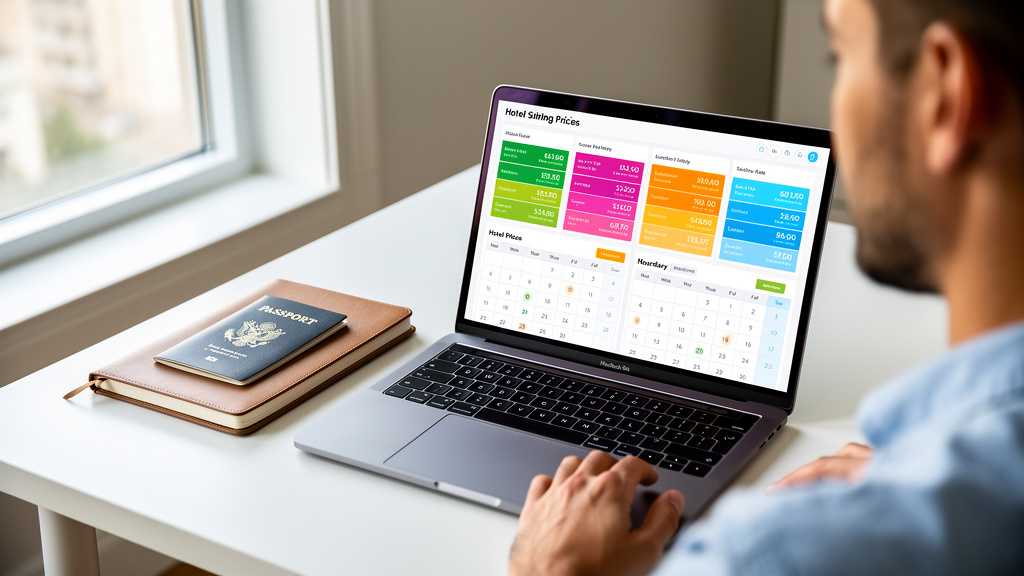
After booking more than 30 stays through Booking.com across Europe and Asia, this timing + cancellation combo has worked best for us.
Booking.com doesn’t have a built-in price alert system. Like, at all.
To track whether a hotel’s price drops, you either need to check manually or use a third-party tracker that watches Booking.com specifically.
Most people use a simple strategy: bookmark properties you’re considering, then check back every few days before committing.
Prices fluctuate constantly. Most of the movement happens about 6-8 weeks before your travel dates, then things stabilize as you get closer to arrival.
Here’s what I’ve noticed (and this isn’t universal, but it’s a pattern):
- Business travel destinations tend to drop prices on Friday afternoons as business travelers head home.
- Tourist spots often see price drops on Tuesday or Wednesday mornings.
Your mileage may vary by city and season, but those are decent times to check.
The other piece of this is understanding your cancellation window. Most hotels offer free cancellation up to 7-30 days before your arrival.
Once you’re inside that window and the price drops, you’ve missed your chance to rebook at the lower rate.
If the property charges a cancellation fee, you need to do the math. Rebooking only makes sense if your savings exceed the fee.
| Booking Window | Typical Price Behavior | Best Action |
|---|---|---|
| 6–8 weeks out | Most fluctuation, prices jump around | Monitor daily, book with free cancellation |
| 3–4 weeks out | Prices start stabilizing | Check for final drops, confirm cancellation policy |
| 1–2 weeks out | Usually locked in (unless last-minute deals) | Book if you haven’t already, prices rarely drop further |
| Cancellation Strategy: Knowing When to Lock It In
Free cancellation is basically insurance. That’s how you should think about it. If a property offers a non-refundable rate that’s $30 cheaper than the free-cancellation option, you need to decide whether that $30 is worth the risk. If you’re 100% certain about your dates (like, nothing could possibly change), then yeah, take the cheaper rate. If your plans might change—due to work, family, or weather—paying the $30 for free cancellation is usually worth it. You’re buying flexibility. That’s not being overly cautious, that’s just being realistic about how often plans actually change. The sweet spot for booking depends on where you’re going and when you’re going. High-demand periods like peak summer, Christmas, and major events should be booked further in advance, since prices go up as dates get closer. Low-demand periods give you more wiggle room. You can sometimes book just 2-3 weeks out without any penalty. One of the best Booking.com hacks is combining free cancellation with price monitoring. Book early to secure a spot, then cancel and rebook if you find something cheaper later. As long as you’re outside that cancellation window, there’s zero downside. Hidden Discounts and Search Filters That Actually MatterMost people search the same way: destination, dates, done. You’re missing a bunch of stuff that directly impacts what you pay. The Genius filter is the most obvious one. It shows only properties that participate in the Genius program. Instead of scrolling through 100 listings to spot the blue label, you can filter for them upfront. Beyond that, property type matters way more than you’d think. Booking.com lists hotels, apartments, guesthouses, and vacation rentals together. Apartments and guesthouses often cost less than hotels because they have lower overhead. They’re also less likely to hit you with surprise resort fees or random upcharges. User rating filters are your friend. If you filter for properties rated 8.5 or higher, you’re cutting out a ton of mediocre options. A 7.5-rated property qualifies for Genius, but there’s usually a reason it isn’t rated higher. You’re not saving money by booking somewhere that’s gonna be a hassle. Distance from the city center is searchable, too. Properties 10-15 minutes further out via public transit typically cost less. If you’re flexible on location, you can save a decent chunk while still having easy access to everything. Check current Genius deals on Booking.com (log in to see discounts). The filter combo makes a huge difference in what you actually see. Avoiding Bad Listings (Because They’re Out There) The 7.5 rating enforced by the Genius program already filters out much of the garbage. If you’re booking Genius properties, you’re automatically avoiding the bottom tier. But beyond that, you need to read recent reviews. Not just the overall score… specifically the most recent 20-30 reviews. A property might have a decent overall rating but show a decline in quality over the last few months. Maybe management changed. Maybe they stopped maintaining things. Who knows. But if recent reviews mention cleanliness issues, broken Wi-Fi, noise problems, or photos that don’t match reality… that’s a red flag. Photo verification is another thing people skip. Booking.com labels photos as “traveler-verified” if they were uploaded by guests. Compare the official property photos against guest photos. If they look drastically different, the official ones are probably misleading. Properties use professional photography, specific angles, good lighting… It’s all designed to make small spaces look bigger and worn furniture look newer. Guest photos show you what it actually looks like when you walk in. Check for photos of cleanliness and actual room size. If a “compact” room looks spacious in official photos but cramped and cluttered in guest photos, you’re seeing the difference between marketing and reality. One more thing: check the cancellation policy before booking. Strict policies combined with mixed recent reviews create risk. If you’re locked into a booking and the property turns out to be sketchy, you’re stuck. Free cancellation combined with mixed reviews is way more manageable because you can bail if needed. Pro Booking Workflow (The Stuff That Actually Saves You Money) Alright, here’s how to actually use all this stuff together. Step 1: Set up your account with consistent info. Use the same contact details, address, email… everything. Your Genius status and benefits only link properly if your profile is accurate. Step 2: Always search while logged in. This is the most common mistake people make. Your Genius discounts only show up when you’re logged in. If you search while logged out, you won’t see the blue labels or the discounted prices. Then you log in later and wonder why everything looks different. Step 3: Create a watchlist. Bookmark 3-5 properties you’re considering before you book. Check back over several days. You’re looking for price trends, not obsessing over every refresh. Two or three checks over a week will tell you if prices are climbing, dropping, or stable. Step 4: Verify the cancellation policy before you commit. Make sure it matches your comfort level. If you’re booking a room that includes free breakfast or upgrades, confirm those perks are actually included in the specific room type you’re selecting. Sometimes they’re tier-specific. Step 5: Screenshot or bookmark the deal once you’ve decided. Prices change constantly, sometimes between page refreshes. Having a screenshot gives you proof if something looks different later. Step 6: Keep your confirmation email. Booking.com occasionally experiences system glitches that cause reservations to display incorrectly in your account. Your confirmation email is your proof of booking if anything goes sideways. This works especially well when combined with skip-the-line strategies in Europe. Why These Booking.com Tips Actually WorkThe platform isn’t hiding deals from you. Booking.com just has more layers than most people bother learning. The Genius program is straight-up loyalty discounting. Price fluctuations are normal and visible. Cancellation policies are clearly labeled. Quality thresholds are enforced. Your savings come from actually using the systems that already exist, not from discovering some secret trick. Most travelers never reach Level 2 or 3. They never use the Genius filter. They book without checking price history or reading recent reviews. You’re already ahead just by understanding how these pieces fit together. The added effect adds up fast. A 20% discount on a $150 hotel is $30. Free breakfast across four nights is another $60-100 in value, depending on where you’re staying. A room upgrade might add $30-50 in comfort or space. You’re looking at $120-180 in tangible value from a single well-booked stay, just by using features that were already available. That’s the whole point of these Booking.com tips. You’re not gaming the system. You’re just using it the way it was designed… which most people don’t. Final thought: Booking.com discounts stack when you mix Genius benefits with smart timing and decent search filters. The platform rewards people who pay attention. If you’re gonna book a hotel anyway, you might as well get the most value possible. Check out available Genius deals for your next trip, bookmark a few options, and watch the prices for a couple of days before you commit. Travel’s expensive enough as it is. No reason to pay more than you have to. Frequently Asked QuestionsIs Booking.com really cheaper than other sites?Not always the absolute lowest, but often yes for families. Thanks to Genius discounts (up to 20%), flexible promotions, and no hidden booking fees. Compare prices across sites, then check Booking.com for member perks that beat competitors like Expedia or Hotels.com on total cost. Is Genius worth it?Absolutely for regular travelers like families planning multiple trips. Especially if you book a few stays a year. Genius is free, and your discounts/benefits improve as you complete more stays over time (with bigger perks at higher levels). Stack it with deals for real savings, no points to track, just instant value. Can I stack discounts?Sometimes, yes. Genius pricing can be combined with certain promotions, such as mobile-only rates or limited-time deals. It depends on the property and offer, so check the price breakdown at checkout. Watch app promotions and combine with coupons for family hacks that can slash room rates. Is Booking.com safe?Yes, it’s legit and secure, handling millions of bookings each year with payment encryption and buyer protection. Beware phishing scams mimicking support—always use the official site/app, enable 2FA, and contact properties directly if issues arise. Last Updated: February 2026 If you take nothing else from this guide, book early with free cancellation, track prices 6–8 weeks out, and always search while logged in. That combo consistently saves the most. Affiliate Disclosure for Smart Miles TravelerAt Smart Miles Traveler (https://smartmilestraveler.com), our goal is to provide helpful, honest, and practical travel tips, product recommendations, and money-saving strategies. Some of the links on this website are affiliate links. This means that if you click on a link and make a purchase, we may earn a small commission at no extra cost to you. These commissions help support the operation of this website and allow us to continue creating free, high-quality travel content for our readers. Questions or ConcernsIf you have any questions about our affiliate relationships or how this website operates, please feel free to contact us. 📧 Email: info@smartmilestraveler.com |